


Vernier
TL:DR
The challenge
Most video players look the same: a progress bar, a play button and a row of icons. The Contra × Video.js v10 Skins Challenge asked for a skin with real visual interest, built on the new Video.js and streamed through Mux. The challenge was to make something genuinely different that still works as a player: on a desktop, on a phone held upright, and on a phone held sideways.
The solution
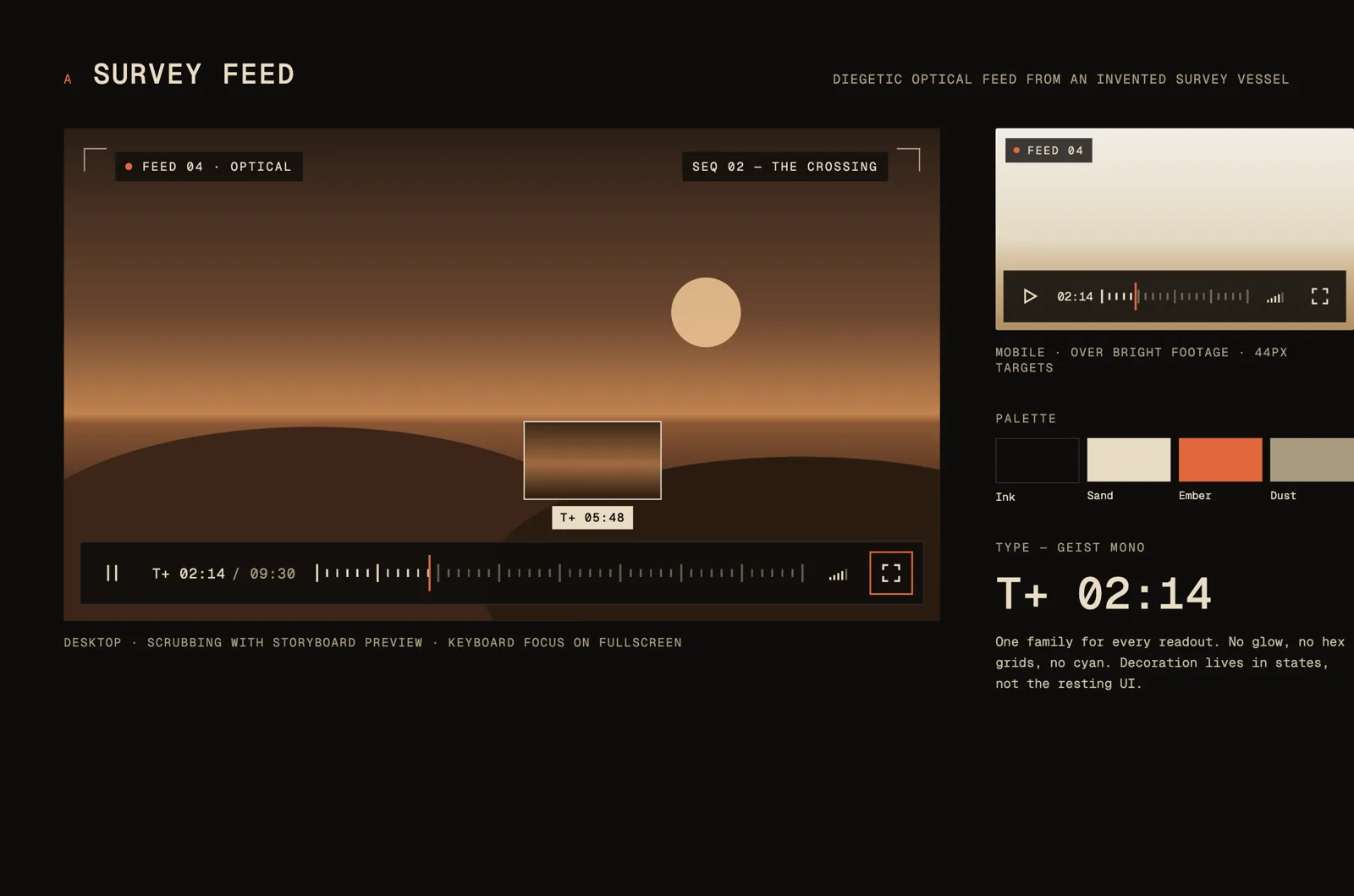
Vernier treats the player as an instrument, not an app. The timeline is a ruler with a tick every second and a major tick every minute, the playhead is a needle, and the timecode rolls like a tape gauge.
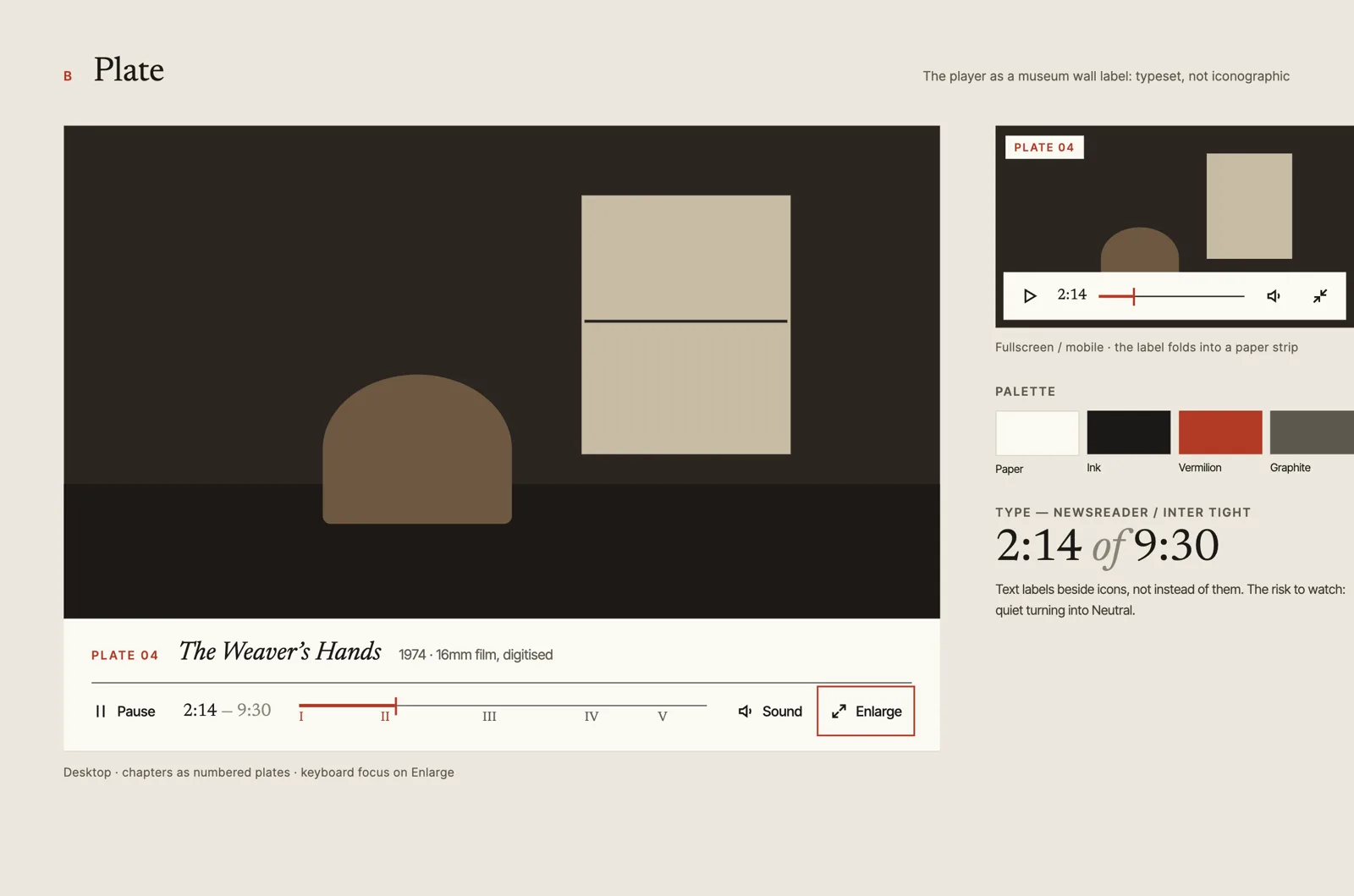
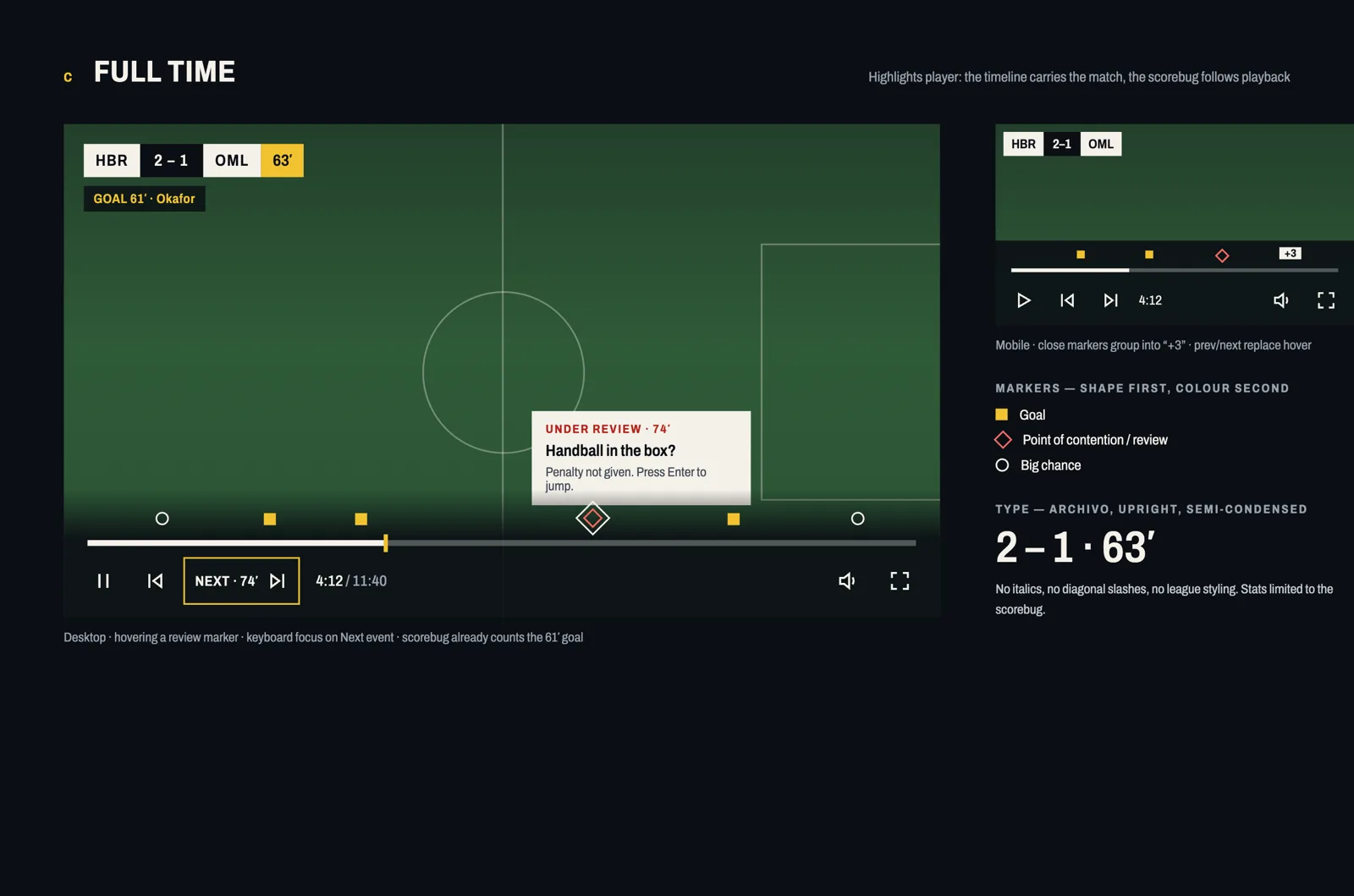
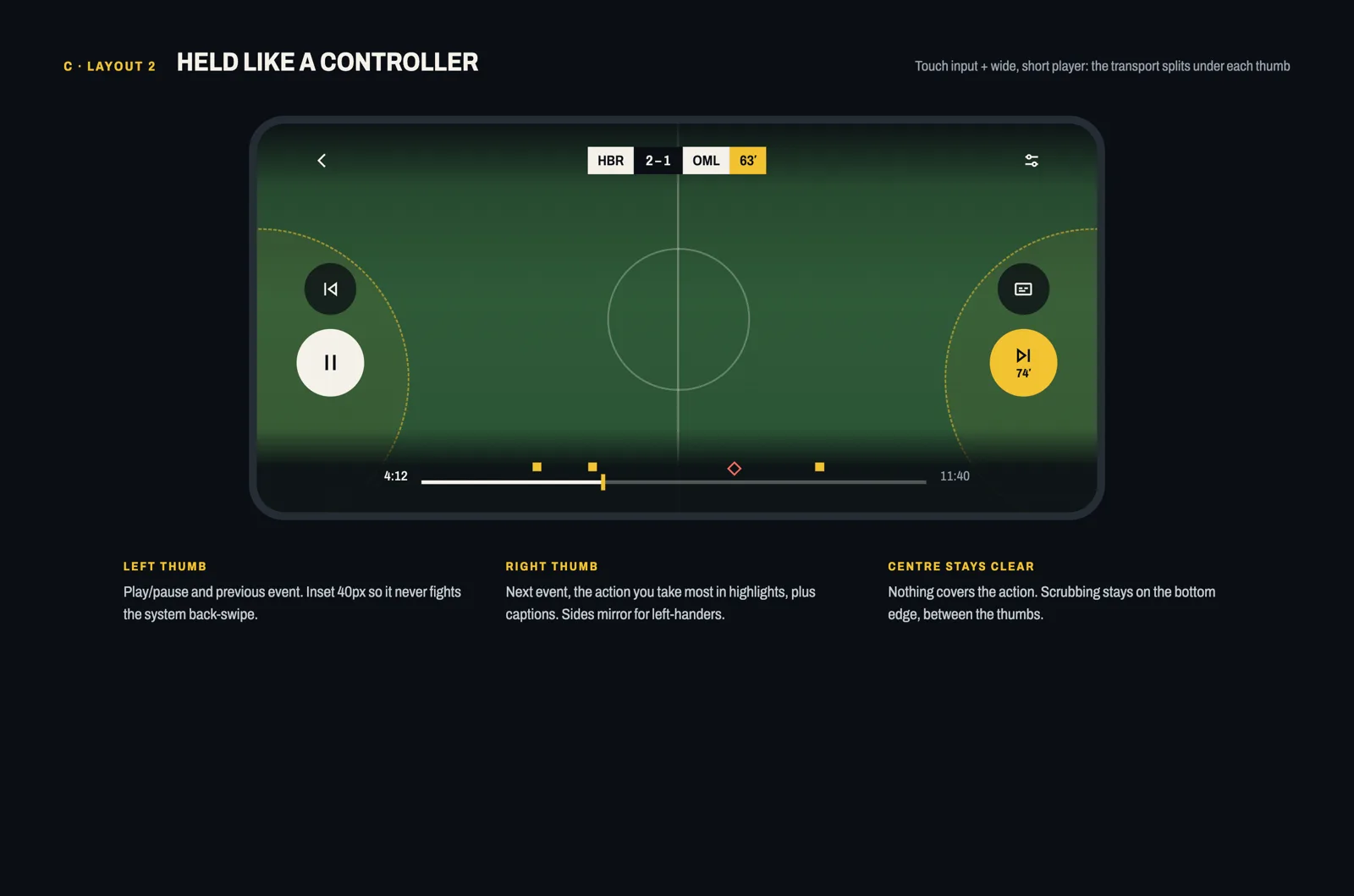
I started with three directions: a sci-fi instrument panel, a typeset gallery label, and a sports highlights player. The instrument panel had the look. The highlights player had the mechanics: typed moments on the timeline that you can jump between. Vernier merges the two.
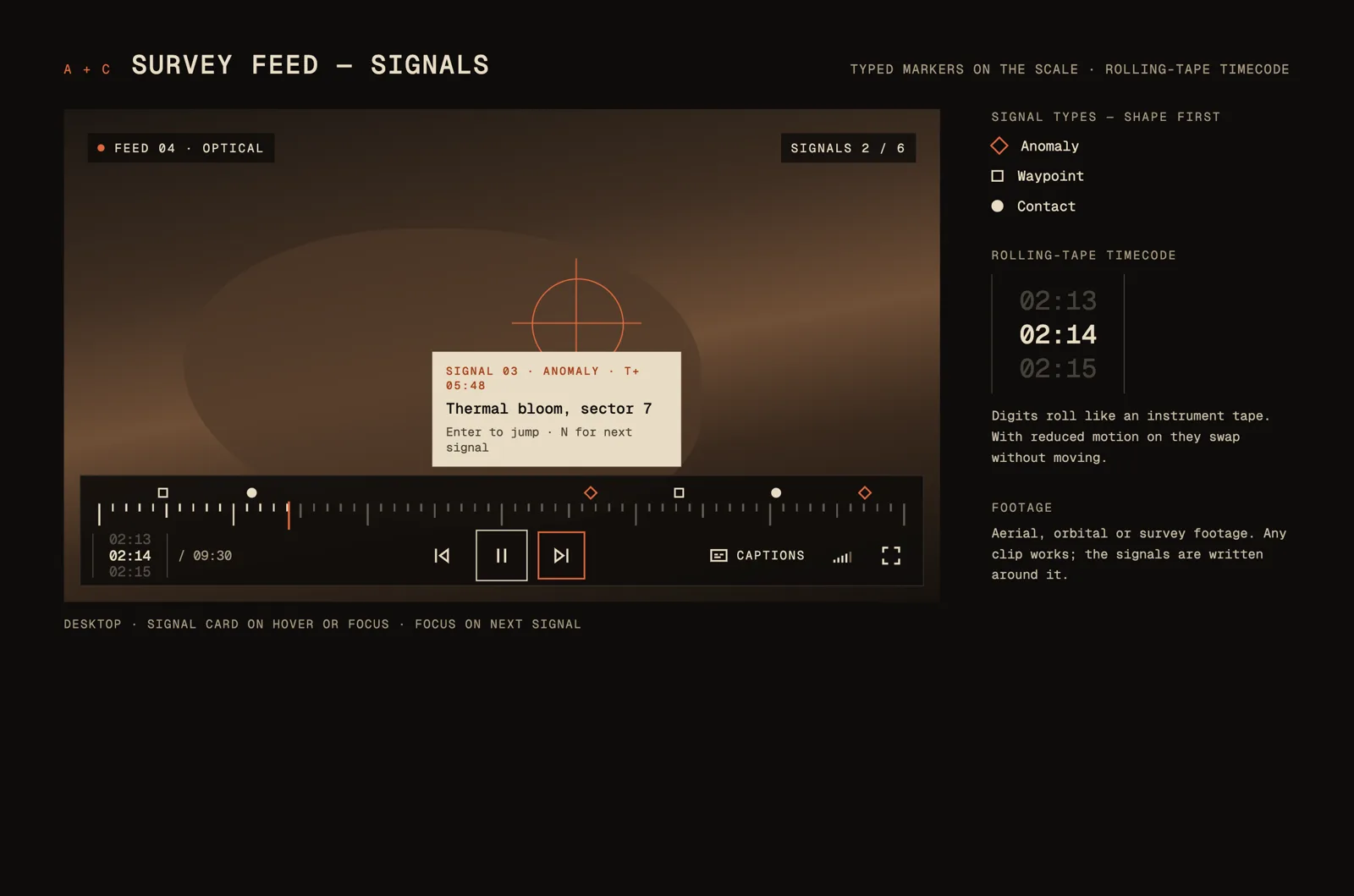
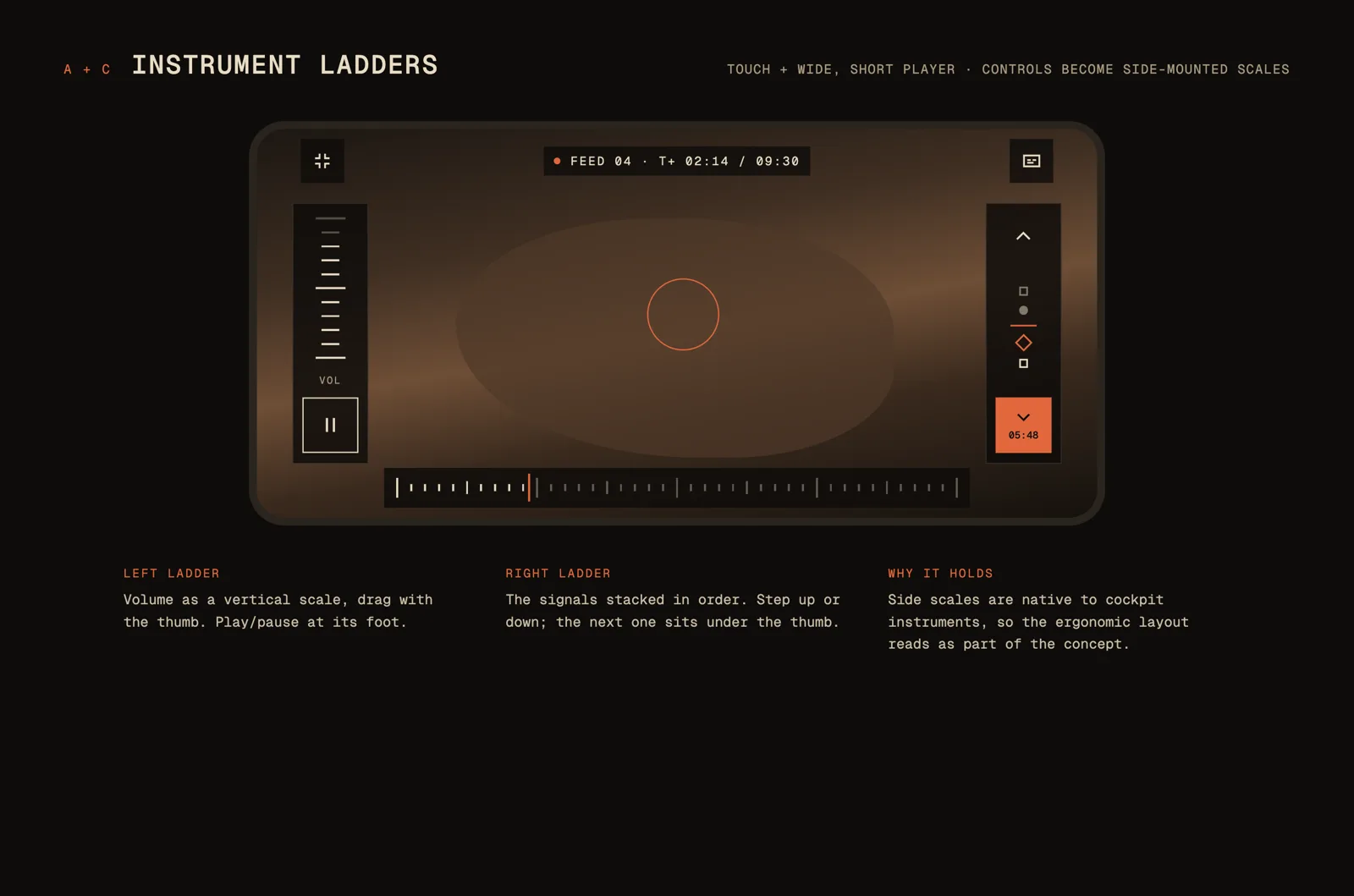
Those moments became signals, like keyframes in editing software. Each type has its own shape, so you can read it before you hover, and N and P jump between them. On a phone held sideways, the controls split into two ladders under your thumbs: volume and play on the left, a rail of signals on the right, and nothing over the picture.
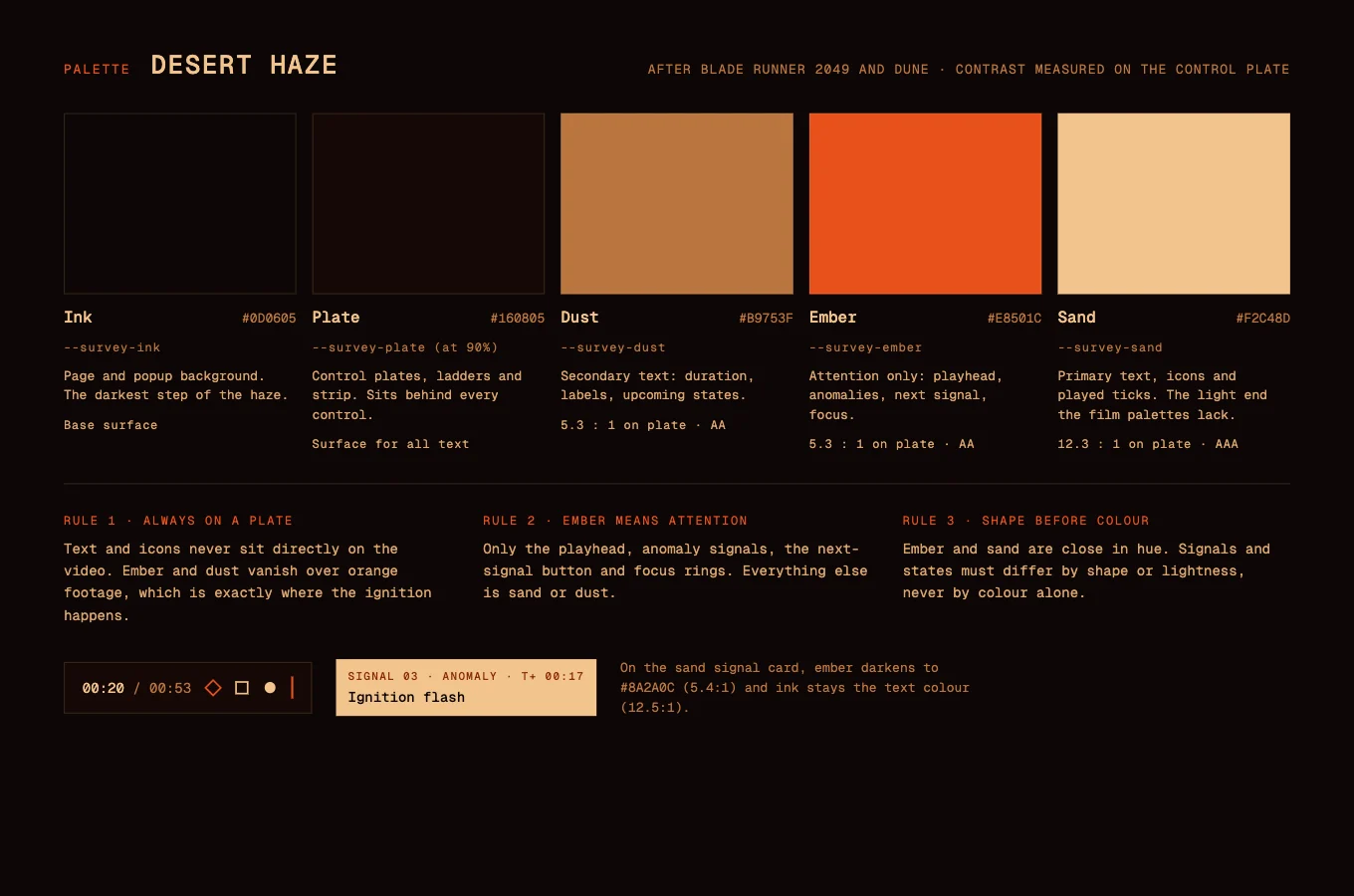
The palette comes from the desert in Blade Runner 2049 and the opening of Dune: Part Two, with a light sand added for readable text. The icons are drawn wide and square-cornered, like the buttons on a tape deck.
The results
✅ A working Video.js v10 skin, streamed through Mux, with captions and full keyboard control
✅ Two layouts: a tick-scale bar for desktop, and thumb ladders for phones held sideways
✅ Signals: typed, jumpable moments written in a plain WebVTT file, so they work for any film, match or tutorial
✅ A custom 23-icon set and a palette checked for contrast on the control plate
In summary
Vernier shows how far a familiar component can move when the idea comes first. See the full concept page and process. If your product needs an interface that people remember, we'd love to help.

The digital experience your brand derserves
Don’t settle for ordinary. Let’s create something extraordinary together.


